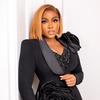
@veekeejames: Na Collabo🤣 #fyp

VEEKEE JAMES
VEEKEE JAMES
Open In TikTok:
Region: NG
Thursday 29 August 2024 17:25:42 GMT
1742927
142279
501
646

Music

Download

Comments

abenadollar06
Abena dollar🦋 :
A chef too😩
2024-08-29 17:31:43
815
pattiequeen
BIG✧P♡ :
Plus chef,comedian,musician,and to top it all a loving wife😁😁😁
2024-08-29 19:47:42
419

amaranaza
Amara :
This your gown is giving.
2024-08-31 10:40:32
3

margibelie
Margibelie ❤️ :
🥰🥰 designer,cook,wife, content creator and also pretty all on one very demure 👌
2024-08-29 18:10:48
23

gracia8833
Woman of Substance.. :
No one is talking about her skin soooo clean and spotless☺️☺️
2024-08-30 02:04:06
5
relish_wellness
Private Chef in Douala :
the dress u have onnn 😭😭😭
2024-08-29 17:38:55
9
cynthiaokafor59
CYN thia👄👄👄 :
her skin🥰🥰🥰🥰🥰🥰
2024-08-29 19:15:48
3
.jaymore
Jewel :
Guess what you are the jack of all your trades and master of them all… 🥰🥰💚To God be all the glory..
2024-09-18 23:19:00
1
tre_sh41
TRESH_LIFESTYLE🌸✨ :
always beautiful ❤️🥰
2024-08-29 19:07:20
3
kevin_ray6
zite's mum :
i love you momma 💕💕
2024-08-29 18:50:56
2
toxictacha
chachablink :
i want to learn from you teach me how much
2024-10-24 13:54:27
2
annytreasure2
Aniedi :
your outfits are really inspiring the young ones, I love you so much mama🧡🧡😘
2024-09-04 16:54:56
1

kindheartedbitch3
MAMACITA🌹 :
may God give me the kind of money that u will be the one to make my wedding dresses 🙏🙏🙏
2024-09-10 13:29:51
1
beckylove298
Becky ✂️👗👸 :
You're doing perfectly well ma'am
2024-10-25 18:46:06
1

tholuene
Favour Toluwalope :
why you no go like Veekeejames🥰
2024-08-30 08:38:33
31
ms___prom
ms___prom :
Designer
2024-08-31 15:56:16
2

beautyhefe23
Beautie :
I want to give you work you didn’t reply is it bcus am not a celebrity?
2024-10-21 20:32:16
2
vjarmys
VJ ARMY :
Best multitasker🥳
2024-08-31 16:18:50
1
alluring.denis
Alluring Denis :
I love you mum🥺🥺
2024-09-01 03:16:28
1
zemmyyyy_
Zemmy 🧚‍♀️✨️ :
all in one ❤️🤗😂
2024-09-01 15:28:07
1
blessedgurl86
Blessed 😇 gurl💕 :
Her skin❤️😻
2024-08-29 23:27:57
1
emiliacarlayuk
Mollyqueen :
so talented Veekee.She is all.❤️❤️❤️
2024-08-29 19:08:05
2
achiengwafula
✨️Psalms23🙏🏾 :
😂😂😂 Collaboration
2024-08-29 18:21:17
3
desky_azaman
desky_azaman :
Your dress ate ❤️
2024-08-29 19:06:28
2
abbystrendzcollections
BIGGEST PLUS SIZE SHOP IN GH :
A multitalented queen
2024-08-29 17:27:57
1
To see more videos from user @veekeejames, please go to the Tikwm homepage.

Other Videos

How to Set Up Your TikTok AI Cast Avatar 1. Open the TikTok app and tap the + button to create a new post. 2. Tap AI Cast (if you have access to the feature). 3. Select Create Avatar or New Avatar. 4. Follow the prompts to record your training video. Make sure you’re in a quiet, well-lit room with a plain background. 5. Look directly into the camera and speak naturally. Don’t rush—use your normal voice and expressions. 6. When TikTok asks for avatar instructions, paste the following: Create an AI avatar that closely matches my natural personality and delivery. Speak in a friendly, conversational, authentic TikTok UGC style. Be energetic but believable, not robotic or overly salesy. Maintain eye contact, use natural facial expressions and subtle hand gestures, and speak at a moderate pace. Keep videos optimized for TikTok with an engaging hook, authentic delivery, and a vertical 9:16 format. 7. Save your avatar and wait for TikTok to finish processing it. This may take a few minutes. 8. Once it’s ready, select your AI avatar whenever you create an AI Cast video. Tips for the Best Results * Use bright, even lighting. * Keep your face fully visible. * Record in a quiet location. * Wear solid-colored clothing if possible. * Speak exactly how you normally talk in your videos. * Smile naturally and use light hand gestures. * Don’t worry about being perfect—the more natural you are, the more realistic your avatar will look. @USN Jon Paul Jones #aicast #aiugc #ugccontentcreator

About