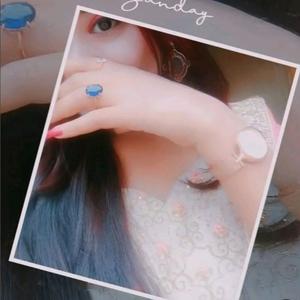
@tom_and_jerry790: hai Meri Jind Jan Tere laye❤️🥺#dontunderreviewmyvideo #foryou #fyp #viralvideo #trending #foryoupage #couplegoals #Love #growmyaccount #sonofupperdir #illu #handvideo #AL @TiktokPakistanOfficial

🦋🕊️ᗩᒪᵒᶠᶠᶤᶜᶤᵃˡ ツ✨
🦋🕊️ᗩᒪᵒᶠᶠᶤᶜᶤᵃˡ ツ✨
Open In TikTok:
Region: PK
Friday 08 November 2024 18:22:21 GMT
1926102
73805
632
20050

Music

Download

Comments

adnanbajwa8846
cute 🥰 larki :
Nice
2024-11-09 04:27:40
27

imranmaani90
🅜🅐🅐🅝 :
plzzzz save option open😌😌
2024-11-09 17:31:46
14
saqibali8428
Malik awan786 :
very nice
2024-11-09 13:52:52
20
pagalchuza3
😉crazy butt❤ :
okay
2024-11-09 05:20:17
26

malik.sohail761
𝑴𝒂𝒍𝒊𝒌 𝑺𝒐𝒉𝒂𝒊𝒍 ✔ :
very nice
2024-11-09 12:50:10
19
jankijanhu06
༒...FU...༒ :
mash,Allah Meri favourite couple🥰
2024-11-09 14:53:46
21
ali.dost427
alee dost 🥂🦋 :
follow me
2024-11-09 13:20:44
22
riyarajpoot729
MS RIYA RAJPOOT :
Mashaalllah
2024-11-09 10:08:43
22
noor_king553
King :
Mashallah Subhanallah ❤️💞❤️💞❤️
2024-11-09 07:52:49
28
muzamilahmed0578
ابنِ مشتاق🌹 :
hayyyyyy 🙈🙈🙈
2024-11-09 02:45:11
30
mahvishkhan786786
MahVish Khan 😎 :
so cute 🤗💓🤝
2024-11-09 15:10:58
10
muzammiljuttt3
Qureshi's :
wao
2024-11-09 08:06:50
33
sehar_khan123
𝑺𝒆𝒉𝒂𝒓 𝑲𝒉𝒂𝒏 🦋✨ :
hayeeee
2024-11-09 15:38:30
11

muskan2854
𝕄🫀 :
koe to frindship kr lo 😅
2024-11-10 05:52:20
9
accound_not_found.5
Account not found :
اللّهُمّصل عَلَى مُحَمّدٍ وَعَلَى آلِ مُحَمّدٍﷺ️,,
2024-11-09 21:53:59
25
zaazurai
Z Collection :
kamal🥰
2024-11-11 01:29:26
7
riyarajpoot729
MS RIYA RAJPOOT :
Mashaalllah
2024-11-09 10:08:25
21
mahvishkhan786786
MahVish Khan 😎 :
mashaAllah 🥀♥️🙈
2024-11-09 15:10:48
14
onlinebusinesswomen28
online business :
اسلام علیکم! اگر کوئی شہزادی آن لائن ورک کرنا چاہتی ھے تو inbox میں رابطہ کرے۔ with 100% earning prove Contact Whatsapp 03011392815
2024-11-09 14:27:48
10
meradil7
mano shazadi ❤️‍🩹 :
MashAalla 🥺
2024-11-09 08:26:52
31
blushpetal.xo77
🌙 :
typing..
2024-11-09 19:09:18
10
onlinewor567
Sabs Saba :
online work krna chate hai sis
2024-11-10 03:12:22
10
bareerakhan085
BERRY :
nice couple🥰🥰
2024-11-10 16:41:56
5
taha.bajwa6
Taha Bajwa :
Yar plz hum single logo ka Kiya qasoor h Bhai plz istarah ki post mat Kiya kro Dil dukhtaw h.... 🥹🥺
2024-11-10 21:26:32
5
nirma.khan76
ن🥀🙃 :
hye 🔐🫀 Mashallah 🥰 g🥰🥰
2024-11-08 22:41:06
27

To see more videos from user @tom_and_jerry790, please go to the Tikwm homepage.

Other Videos

The Depth Effect feature, available since iOS 16 (and works best on iPhone XR/XS or newer), makes the foreground subject of a photo overlap your Lock Screen's clock, creating a cool, 3D layered look. How to Set It Up Unlock your iPhone, but stay on the Lock Screen. Long-press anywhere on the Lock Screen until the customization gallery appears. Tap the blue + button to add a new wallpaper, or tap Customize on your current one. Select a photo from your Photos library. Key Steps for the Effect to Work Choose the Right Photo: The image must have a clear, well-defined subject (a person, pet, object, or clear foreground) that can be separated from the background. Portrait Mode photos often work well. Check the Subject Position: The subject needs to be positioned so it partially overlaps the clock widget (but doesn't cover too much of it). Adjust and Zoom: Use a two-finger pinch and pan gesture to zoom or move the image until the subject is layered over the clock. Enable the Feature: Tap the three-dot menu (...) in the bottom-right corner and ensure Depth Effect has a checkmark next to it. Tap Add or Done to set the wallpaper. ⚠️ Troubleshooting (If it's not working) No Widgets: Depth Effect often disables itself if you have Lock Screen widgets (like Weather or Calendar) enabled. Try removing all widgets. Clear Contrast: The subject must have good contrast with the background for the AI to separate it. No Excessive Overlap: If the subject covers too much of the clock, the effect will turn off. Adjust the zoom and position. Software/Hardware: Ensure your iPhone is running iOS 16 or later and has an A12 Bionic chip or newer (iPhone XR/XS or later). #fyp #iPhone #viral #trending #foryoupage

About