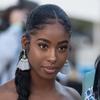
@taylorramsue: I love it here 😂🫶🏾

taylorramsue
taylorramsue
Open In TikTok:
Region: US
Sunday 09 August 2026 02:58:41 GMT
22158
3202
77
10

Music

Download

Comments

kaysigriffinkerlin
Kaysi Griffin Kerlin :
Honestly, you are absolutely stunning. And you have changed my shower and skin life... Your relationship with your mama makes my heart happy... 🥰
2026-08-09 17:42:48
8
teeharris58
Tee Harris :
Girl ain’t hear nothing you were saying, you’re gorgeous and the hair is doing it all.
2026-08-09 03:04:16
141
avaniravea
Avani Ravéa :
Girl you are EXACTLY who you think you are 😍 gorgeous
2026-10-01 05:40:40
4

auntychannn
Chan :
That’s literally my mood about you everyyy time😍
2026-08-10 02:13:50
8
monomqczog2
Selah :
Always lift up our black queen
2026-08-09 07:16:42
2
allanteaniece
Allanteaniece :
It’s hard to listen when you’re that fine😍
2026-08-15 03:35:46
6

aabracadabra2
Aabracadabra2 :
We love you because you are down to earth and real people and that’s important to us. We will continue to support you sister. Your mama did a great job.❤️
2026-08-09 14:27:00
7
therachaelmariej
Rachael Marie Jenae :
No you are STUNNING woah
2026-08-09 04:42:52
7
jadeandjoysworld
Jade & Joy :
Girllll the hair is
2026-08-09 05:30:14
39
jazzyjhall
jazzyjhall :
Girl!!! What did you say again because the whole look is clean!
2026-09-24 20:44:42
1
mon.mon___
Daija Monet :
LIKE THEY SAID I WASNT LISTENING! GORGEOUS QUEEN! HEALTHY HAIR!! ❤️❤️❤️
2026-08-09 05:38:21
3
thatgirl_debz
thatgirl_debz :
I really still heard nothing….the hair, the face…gorgeous!
2026-09-09 23:57:38
1
lovelysweetaroma
Nelly :
Welp it just happened again 😂😂😂😂 Because girl you are STUNNING 🥰
2026-09-29 00:28:05
2
usernamekreme
— :
Beautiful! You look expensive; I love it!
2026-08-10 05:30:43
2

fatoufall
Fatou Fall :
I was genuinely going to comment that on this!
2026-08-10 21:25:47
1
weedorbeautyandstyles
weedorbeautyandstyles🇱🇷🇨🇦 :
And here you are stunning again… I still didn’t hear a thing 😉
2026-08-09 21:24:17
1
lyssa_m4
Lyssa :
No cus how you distracting us in your own video 😆🥰
2026-08-09 10:17:56
1
weupstudio
LEuu | Women’s Fashion :
This hairrrrrrr🥰
2026-08-11 00:49:35
0
elexusfoster_
Elexus :
Hi. Where is your necklace from?
2026-08-09 15:43:49
0
ashleybreading
ashleybreading📚 :
IKR!!! I love that
2026-08-09 22:43:55
1

arnese_2
Arnese :
You had to know we were about to tell you those exact words about this video 😍😍🥰
2026-08-09 03:43:30
0
srodalicious
Srodalicious :
that was literally my thought the second I saw you 🥰😍
2026-08-09 03:06:59
0
thekarenalee
thekarenalee :
Exactly how I feel about this video . Hair and Face tea .
2026-08-09 03:22:18
2
borntothrive7was
BornToThrive :
... because whatwassaid?!? The hair, the face 🔥❤️🤌🏾
2026-08-09 05:40:31
1

lataly24
Neftaly :
2026-08-09 04:51:05
1
To see more videos from user @taylorramsue, please go to the Tikwm homepage.

Other Videos

#capcut #capcutpioneer How is this kind of effect made? You only need to upload one photo to get the same result. The whole process is very simple. Now I will guide you step by step. First, click on the “Template” in the bottom left corner. If you can’t find it, click on my avatar. Find this video and tap to enter it. Locate this template. Click on “Use template”. Then click again and select the photo you like. Wait a few seconds — the image will be generated automatically. Finally, click “Export” and everything will be done. Comment créer ce type d’effet ? Il vous suffit de télécharger une seule photo pour obtenir le même résultat. Le processus est très simple. Je vais maintenant vous guider étape par étape. Tout d’abord, cliquez sur « Template » en bas à gauche. Si vous ne le trouvez pas, cliquez sur mon avatar. Recherchez cette vidéo et appuyez pour y entrer. Trouvez ce modèle (template). Cliquez sur « Use template ». Puis cliquez à nouveau et sélectionnez la photo que vous aimez. Attendez quelques secondes — l’image sera générée automatiquement. Enfin, cliquez sur « Export » et tout sera terminé. كيف يتم إنشاء هذا النوع من التأثير؟ كل ما عليك فعله هو تحميل صورة واحدة للحصول على نفس النتيجة. العملية بأكملها بسيطة جدًا. الآن سأرشدك خطوة بخطوة. أولاً، انقر على “Template” في الزاوية السفلية اليسرى. وإذا لم تتمكن من العثور عليه، فانقر على صورتي الشخصية (Avatar). اعثر على هذا الفيديو واضغط للدخول إليه. ابحث عن هذا القالب (Template). انقر على “Use template”. ثم انقر مرة أخرى واختر الصورة التي تعجبك. انتظر بgضع ثوانٍ — سيتم إنشاء الصورة تلقائيًا. وأخيرًا، انقر على “Export” وسيكون كل شيء جاهزًا.#CapCut

About