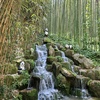
@truckhongngoan3979: ANH Chọn bé nào 🤭

Trúc không ngoan
Trúc không ngoan
Open In TikTok:
Region: VN
Tuesday 10 November 2026 10:21:25 GMT
97844
8569
250
704

Music

Download

Comments

terry.whitfield5
Terry Whitfield :
so stunning
2026-11-10 20:43:21
0

alittlebullet
aLittlebullet :
It makes you happy to be alive [Heartwarming]
2026-11-11 00:14:37
0
matteo_19750
Jess 🩶🇪🇸 :
Hi sweetie 💕
2026-11-10 20:06:55
0
joy_ttn
🏵🪴joy🪴🏵🇵🇭 :
❤️❤️❤️I love it ❤️❤️❤️
2026-11-10 14:41:47
0

salvo284
salvo175 :
complimenti bellissimi 🥰🥰🥰
2026-11-10 19:17:55
2
alex.gwee
Alex Gwee :
🥰
2026-11-10 11:21:01
3
laurentdonnadieu4
Laurent Donnadieu :
Left
2026-11-10 10:52:37
2
fanjaoiy6f6
rockderby :
🥰🥰🥰🥰😅😁😏 Leurs danse ne sont jamais vulgaire, en plus d'être Charmantes. !!!!!!!!!!!!!!!!!!!!!!!
2026-11-10 19:19:10
2

kissbencze
Bencze Gábor :
Hmm 🥰
2026-11-10 16:23:05
2

trebor2423
Trebor :
Right
2026-11-10 18:44:56
1
user8ofgnqm8iq
9회말 투아웃 역전한다 :
너무아름다워요 사랑해요 💕💕💕💕💕
2026-11-10 19:51:13
1

spinningspoor
Spinningspoor :
Nee lass mal
2026-11-10 18:51:00
1
cosmin.cuc7
Cosmin Cuc :
frumoâse iubirii !
2026-11-10 19:59:03
1
adamjordan629
DAMUKRI :
rambut hitam
2026-11-10 18:34:49
1
mariusz.mierzejew11
mariusz mierzejewski :
[Czerwone usta]
2026-11-10 16:24:52
1
kydyralievaainura
kydyralievaainura :
русалочки😘😍🥰
2026-11-10 15:27:34
1

rawo2000
Rawo2000 :
Left
2026-11-10 15:07:14
1
igor.vahrudinov
Igor Vahrudinov :
ммм какие милашки
2026-11-10 20:00:32
1
umit.turgut
Ümit Durgut :
😍
2026-11-10 19:02:10
1
zoki8463
Zoki :
AI
2026-11-11 03:17:55
0
mark594300
小均🙎‍♂️ :
🥰🥰
2026-11-11 04:12:30
0
davlatali.rayimov
Davlatali Rayimov :
2026-11-11 04:15:37
0
phamvancuongbg
A Cường 99 @ :
👍👍
2026-11-11 03:35:36
0
nicusorvatuiu973
Nicu Vatuiu :
♥️♥️♥️
2026-11-11 04:11:00
0
lultimodeimoicani0
l'ultimo dei mohicani :
2026-11-11 03:02:15
0
To see more videos from user @truckhongngoan3979, please go to the Tikwm homepage.

Other Videos

AI video editor in Claude Code: 3 prompts, from an empty folder to a finished reel. SETUP (once) 1. Get the Claude app (claude.ai/download) and open the Code tab, not the browser. 2. Make a folder
AI video editor in Claude Code: 3 prompts, from an empty folder to a finished reel. SETUP (once) 1. Get the Claude app (claude.ai/download) and open the Code tab, not the browser. 2. Make a folder "AI Editor" with 3 folders inside: raw, references, done. 3. New chat in Code → Local → Select folder → AI Editor. Needs a paid Claude plan. PROMPT 1: TOOLS You're my video editor. We work in this folder: raw, references, done. Install and verify 5 tools: FFmpeg with libass (on Mac: ffmpeg-full, full path), faster-whisper for word-level subtitles, yt-dlp for references, Remotion, HyperFrames (npm package hyperframes). Check what's installed first. Official installs only (Homebrew, winget, npm/pip), Node.js 22+. Python packages go in a .venv here, Python 3.14 or older: pip install faster-whisper "av<19". Test each for real: burn a subtitle into a test clip, transcribe 5 seconds of audio. Show a table: tool, version, works or not. PROMPT 2: YOUR TASTE Here are reels whose editing I like: [link 1] [link 2] [link 3]. My format: [talking to camera / voiceover]. Download them with yt-dlp into references (for study only). Study each one frame by frame and by ear: pacing, shot length, pause cuts, subtitles, colors, graphics, transitions, music, the first 3 seconds. Take inspiration, but don't copy: no shots, text, logos or brand elements. Write my own style to style.md with exact values. Show it and ask what to change. PROMPT 3: EDIT My new recording is in raw. Edit it using style.md: 1. Transcribe with Whisper, word timestamps. Ask me about doubtful words before burning subtitles. 2. Cut pauses, slips and bad takes, keep the last good take. Check cut points by audio level. Keep pauses that serve the meaning, breaths and word endings. Don't speed up my voice. 3. Word-by-word subtitles in my style. 4. If references/music.mp3 exists, put it quietly under the voice. 5. Graphics only where they help. 6. Export 1080×1920 to done as draft-v1.mp4 plus edit-notes.md. Check the file yourself, then show me. I'll give edits in plain words; save each as draft-v2, draft-v3. No code words. Follow for my own editing style, coming next.

About